
Propps: Digital Business Card
ProppsBusiness
4.24.00 Reviews
- Version
- 2.6.2
- Installs
- 10.00K
- Age Rating
- Everyone
Screenshots
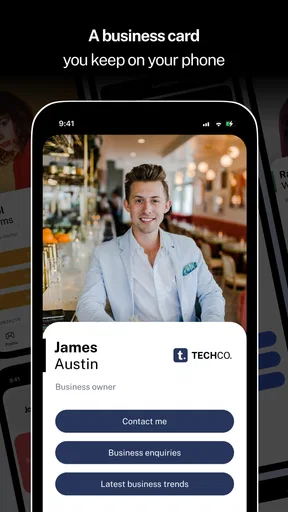
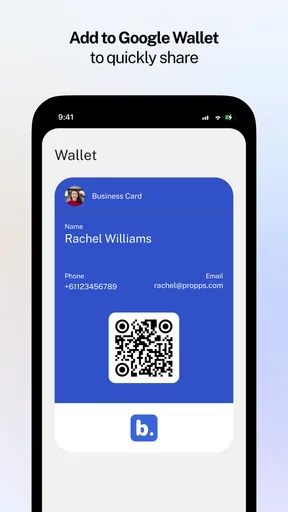
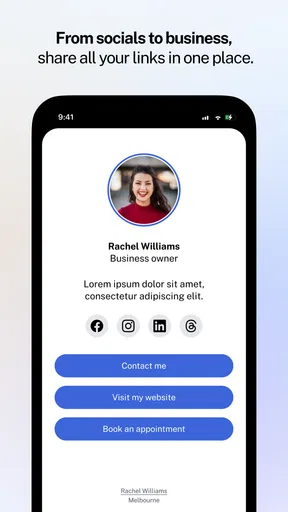
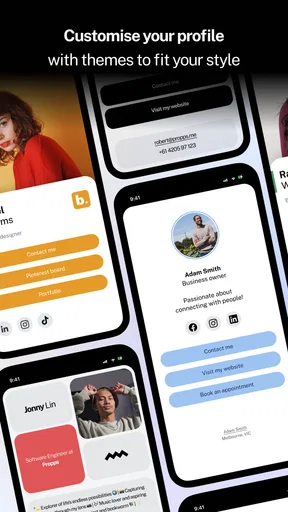
Our Review of Propps: Digital Business Card
 Analysis by Appyee
I approached Propps: Digital Business Card as a practical business tool rather than a flashy networking novelty. Its basic idea is easy to understand: replace the awkward exchange of printed cards with a digital way to share professional details. That can be useful when I meet someone briefly, attend a local event, or need to send my contact information without searching through old messages. The app is developed by Propps and sits in the Business category, with a free starting point for anyone who wants to try a digital identity for work.
What makes this app worth considering is not the slogan about connecting and growing, but the small moments around sharing information. A digital card has to be quick to prepare, easy for another person to open, and simple enough that I do not have to explain it every time. My experience with this kind of tool is that the concept is rarely the hard part. The real test is whether setup feels clear, whether a contact can use the information immediately, and whether the app remains helpful after the first card is created.
Where the first-use experience can become confusing
The most likely sticking point is the transition from installing the app to deciding what a useful professional profile should contain. A paper card forces a limited amount of information. A digital card can tempt me to include everything: several contact methods, a long description, multiple roles, and links that may not matter to the person receiving it. I found that the better approach is to treat the card as an introduction, not as a complete biography.
Before opening the editor, I would decide what action I want a new contact to take. If the goal is a phone call, the card should make that route obvious. If the goal is a follow-up message, the preferred communication channel should be easy to recognize. This sounds simple, but it prevents a common mistake: building a profile that looks complete while making the next step unclear.
The app is aimed at professional sharing, so it makes more sense for freelancers, small-business owners, salespeople, consultants, event attendees, and people who regularly meet new contacts than for someone who only exchanges details once or twice a year. A digital card is especially useful when my role changes or when I want to avoid carrying several versions of a printed card. The convenience comes from keeping one presentation current instead of repeatedly ordering new paper.
There is also a social friction that no app can completely remove. Some people will be comfortable opening a digital card immediately, while others will prefer a phone number written down or sent in a familiar message. I would therefore use Propps as a flexible alternative, not as a reason to reject every traditional method. The best networking habit is to offer the card naturally and be ready to share the essential detail another way if the other person is in a hurry.
Its public reception is encouraging but still modest: the app holds a 4.2 average from around thirty ratings, and it has passed ten thousand installs. I read that as a sign of early usefulness rather than proof that it will suit every professional workflow. A small business with a very specific branding or customer-management process should test it with a few contacts before making it the center of its communication routine.
What I would prepare before creating a card
I would first write a short description in plain language. Instead of listing every service, I would explain the main problem I solve and the type of person I help. That gives a new contact context without forcing them to interpret a string of job titles. I would also choose one primary contact route and check that the information is current before sharing the card widely.
A useful trick is to prepare two versions of the wording even if I only use one card at first. One version can suit a formal meeting, while the other can sound more relaxed for local networking or referrals. If the app’s available presentation options allow that kind of adjustment, the decision should be based on the audience, not on adding decoration for its own sake. A clean, focused profile is usually more memorable than a crowded one.
I would also review the card from the recipient’s point of view. Does the name make sense without explanation? Is the profession clear? Can someone understand why they should contact me? This review step is more valuable than spending extra time polishing details that a new contact will never use. The digital format makes editing convenient, but convenience can encourage endless tweaking.
Setup checks that prevent avoidable problems
When an app appears not to work during setup, I start with the basics instead of assuming the account or device is at fault. I check that the application has finished installing, that the phone is running a compatible Android release, and that the app itself is current. Propps lists Android 7.0 as its minimum operating system, while its current version is 2.6.2. That gives older devices a reasonable starting point, but an old phone can still behave differently from a newer one because of system-level limitations.
I would close and reopen the app after an incomplete screen, then try the same step with a stable connection. If the problem happens only while moving between screens, I would avoid tapping repeatedly, since repeated submissions can make it unclear whether a change was saved. A slower, single attempt followed by a short pause is often more reliable than pressing the same control several times.
Another useful check is the information itself. A phone number with a missing digit, an email address with an accidental space, or a name entered with unusual formatting can make a finished card look broken even when the app is operating normally. I would copy important details into a plain note first, inspect them there, and then enter them carefully. This is particularly helpful when switching between a personal and a business identity.
Because the app is free to start, I can explore the basic experience without committing money immediately. At the same time, the listing includes optional in-app purchases ranging from $1.99 to $134.99 per item. I would treat those as a decision point rather than a reason to upgrade automatically. First I would confirm that the core sharing workflow suits my contacts. Only then would I consider whether a paid option solves a real need for my work.
The age classification is Everyone, which makes the app broadly approachable, but that does not remove the need for professional judgment. I would avoid placing private information on a card simply because the format makes it easy to add more. A business card should contain details I am comfortable sharing with a new contact. Keeping personal and professional information separate is one of the most important setup decisions, and it is independent of how attractive the card looks.
A simple test before sharing widely
I recommend a small private trial. Create the card, inspect every field, and share it with someone I trust. I would ask that person to open it as a normal recipient and tell me what they notice first. This reveals practical issues that are easy to miss while editing, such as an unclear job description, a contact method that is not prominent enough, or wording that sounds natural to me but confusing to someone outside my industry.
I would repeat the test from the exact situation in which I expect to use the app. If I plan to share during a busy event, I would practice the sequence beforehand so I am not learning the interface while a conversation is waiting. If I plan to send the card after a call, I would prepare a short message that explains who I am and why I am following up. The card should support the conversation, not replace it.
This test also answers a question many new users have: should the app replace a regular contact list? In my view, no. I would use it as a presentation and sharing layer, then keep important relationships organized in the system I already trust. A card helps someone recognize me, but it is not automatically a complete customer-record system, sales pipeline, appointment tool, or document archive.
Recovering when a sharing workflow breaks
A realistic example is a local contractor meeting a potential client at a community event. The conversation goes well, but the person is about to leave. The contractor opens Propps, shares the card, and later realizes that the recipient did not know which service to ask about. The problem may not be the sharing step itself; the card may simply be too broad. A better recovery is to send a short follow-up that names the specific service discussed and points the person back to the card.
If I am unsure whether a change has taken effect, I would avoid rebuilding the entire profile immediately. I would make one small edit, leave the screen normally, and then reopen the relevant area to check the result. Changing several fields at once makes troubleshooting harder because I cannot tell which action caused the improvement or the problem. This one-change-at-a-time method is slower for a minute but saves time when a profile is important.
When sharing does not produce the expected response, I would separate three questions: did I complete the action, did the recipient receive it, and could the recipient understand what to do next? These are different stages. An app can complete the first while the conversation fails at the third. That distinction prevents me from blaming the tool for a vague introduction or from assuming that a quiet recipient never saw the card.
I would also keep a compact backup of the essential professional details in a note on my phone. This is not a criticism of Propps; it is sensible preparation for any digital contact method. If the battery is low, the connection is poor, or the other person prefers a conventional message, I can still provide my name, role, and preferred contact route without interrupting the conversation.
For teams, the recovery process needs one extra habit: agree on wording before several people begin sharing cards. If each employee describes the business differently, the digital format can amplify inconsistency. I would create a short internal guide covering the preferred name, role description, and main contact route. That keeps the app useful without pretending it is a full brand-management platform.
When the phone, connection, or recipient is the real issue
Not every failed interaction points to Propps. A device with very little free space, an unstable connection, an outdated system component, or aggressive battery management can interrupt an otherwise normal app session. I would test whether other apps are also struggling before spending time editing the card again. If several unrelated tools are slow or failing, the phone environment deserves attention first.
The recipient’s device and habits matter too. Someone may be driving, in a meeting, using a restricted work phone, or simply unwilling to open an unfamiliar digital card at that moment. I would not interpret that reaction as a direct measure of the card’s quality. A polite follow-up with the key detail in ordinary text may be more effective than repeating the share action.
There is a useful trade-off here. A digital card can be updated without reprinting, but it depends on a recipient being willing and able to engage with a digital format. A paper card is less flexible and can become outdated, yet it is familiar and works without a particular app experience. For important meetings, I prefer having the digital option ready while keeping a simple fallback for people who value immediacy over novelty.
I would also choose a different tool if my main need is detailed contact management. Someone who must track conversations, assign leads, schedule reminders, record deal stages, or coordinate a large sales team will probably be better served by a dedicated customer-management system. Propps makes more sense at the front door of a relationship: introducing me clearly and giving someone a way to continue the conversation.
Who should use it and who should skip it
I think Propps is a good fit for an independent professional who wants a reusable digital introduction without carrying printed cards. It also suits people whose work changes often, because editing a digital profile is more practical than discarding a stack of old cards. A consultant attending several kinds of events can benefit from thinking carefully about the audience and adjusting the presentation accordingly.
I would be more cautious if my work depends on highly controlled corporate branding, formal compliance review, or a large directory of customer records. In those situations, the convenience of a personal digital card may not outweigh the need for centralized administration. I would also skip it if I rarely meet new contacts and already have a simple, reliable way to share my details. Installing another app is not automatically an improvement.
Compared with a normal contact card in a phone, the advantage is presentation: a digital business card can introduce professional context instead of showing only a name and number. Compared with a social profile, it can keep the exchange focused on work rather than mixing business with a broader personal presence. Compared with a customer-management platform, it is lighter and easier to approach, but it should not be expected to organize an entire sales operation.
The free entry point makes experimentation straightforward, and the Everyone rating means the app is not presented as a restricted business tool. Still, I would judge the optional purchases by the value they add to my actual routine, especially because the highest listed item reaches $134.99. A person who only needs a clean way to introduce themselves may never need to spend anything. A business should test the workflow with real contacts before treating paid features as essential.
My practical verdict after using the workflow
My recommendation is measured but positive. Propps: Digital Business Card addresses a real inconvenience: repeating the same professional information whenever I meet someone new. Its value depends less on the novelty of a digital card and more on how carefully I prepare the content, test the recipient experience, and keep a backup route available. Used with that discipline, it can make introductions quicker and easier to follow up.
The strongest result comes from a focused card, a clear next step, and a short message that gives the new contact a reason to respond. The weakest result comes from treating the profile as a substitute for communication, a full customer database, or a guarantee that every recipient will engage. That distinction is important, especially for small businesses deciding whether to build their networking habits around it.
Propps has been available since Oct 18, 2022, and the current release is 2.6.2. I would install it on a compatible Android phone, create one carefully edited professional profile, run a private sharing test, and use it at a few real meetings before changing my routine. That approach exposes practical friction early and makes it easier to decide whether any optional purchase is justified.
My bottom line: this is a sensible free business app for people who frequently introduce themselves and want a more adaptable alternative to printed cards. I would recommend it to freelancers, independent operators, and active networkers who value a concise digital identity. I would not recommend relying on it alone for complex sales management or for situations where every contact must work without digital interaction. For the right user, its best feature is the simple habit it encourages: make the introduction clear, make the next step obvious, and keep the information ready when the opportunity appears.
Verdict
Strengths of Propps: Digital Business Card
- Quickly share contact details through a customizable digital card.
- Reduces the need for printing and carrying traditional business cards.
- Easy to update your information without reprinting anything.
- Useful for networking at events, meetings, and professional gatherings.
- Supports a more eco-friendly approach to sharing business information.
Limitations of Propps: Digital Business Card
- Some recipients may prefer a traditional card or avoid scanning digital links.
- A polished card may require time to customize and keep up to date.
- Limited usefulness when meeting people without smartphones or internet access.
- Sharing contact details digitally may raise privacy concerns for some users.
- The app’s value depends on recipients opening and saving the shared card.
Similar Picks in This Category
View All
LinkedIn: Community & Network
LinkedIn3.8

Zoom Workplace
zoom.com4.1

Microsoft Teams
Microsoft Corporation4.6

Meta Business Suite
Meta Platforms, Inc.4.6

Webex Meetings
Cisco Systems, Inc.4.5

TeamViewer Remote Control
TeamViewer4.4
Frequently Asked Questions
What is Propps: Digital Business Card and how does it work?
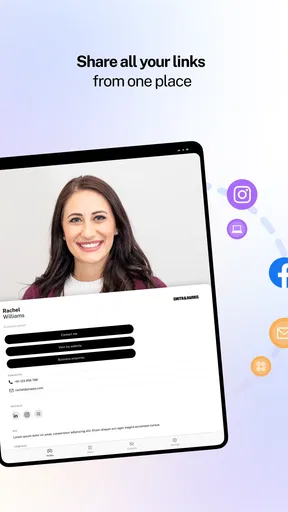
Propps: Digital Business Card is an app for creating and sharing a professional digital profile instead of relying only on printed business cards. After setting up your contact details, social links, company information, and other relevant content, you can share your profile digitally with clients or contacts. It is designed to make exchanging professional information faster, easier to update, and more environmentally friendly.
Can I customize my Propps digital business card?
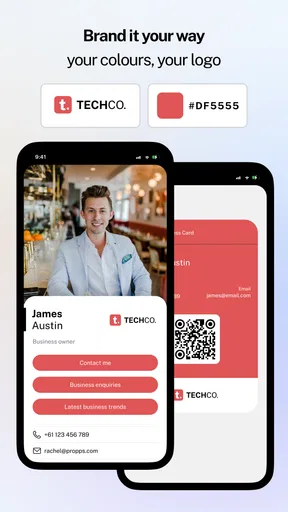
Yes, Propps is intended to let users create a digital business card that reflects their personal or company identity. Depending on the available account features, you may be able to add a profile photo or logo, job title, contact information, social media links, and branding elements. Before downloading, users should check which customization tools are included for free and whether advanced designs or business features require a subscription.
How can I share my Propps digital business card with other people?
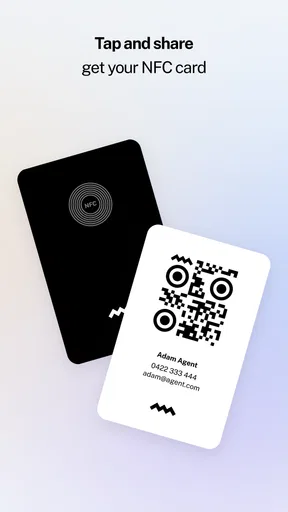
A digital card is useful only when it can be shared conveniently, and Propps is designed around that purpose. You can generally provide your profile through a digital link, QR code, or sharing option supported by the app. This makes it practical during meetings, events, sales calls, and remote conversations. Recipients may be able to view your information without installing the app, depending on the sharing method.
Is Propps suitable for teams, companies, and professional networking?
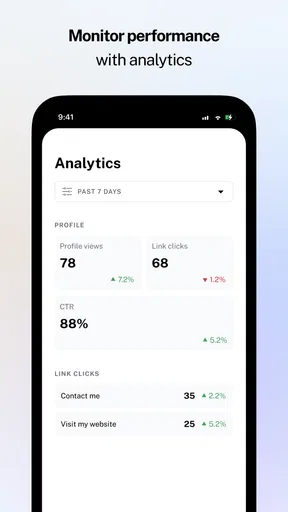
Propps can be useful for freelancers, entrepreneurs, sales professionals, employees, and businesses that want a consistent way to present contact information. Teams may benefit from standardized branding and easier updates when staff details change. However, the exact team-management, analytics, administration, and collaboration tools can depend on the plan offered by Propps, so companies should review pricing and account limitations before adopting it widely.
What privacy and security considerations should I know before using Propps?
Because Propps stores and displays personal or professional contact information, privacy should be considered before creating a profile. Avoid publishing sensitive details that do not need to be public, and review the app’s privacy policy to understand how profile data is collected, stored, and shared. It is also worth checking account-security options, permissions, subscription terms, and how easily you can edit or remove your information.
